
Appearance
How to Delete Redirections
How to Delete Redirections
You can remove redirections in SEOWILL in different ways depending on whether the redirects were created in the past or are generated automatically in the future.
Delete Existing (Past) Redirections
For redirections that have already been created, you have two options:
Option A: Delete via SEOWILL (Recommended)
- Go to Broken Links → Manage Redirects.
- Select the redirected links you want to remove.
- Click Ignore
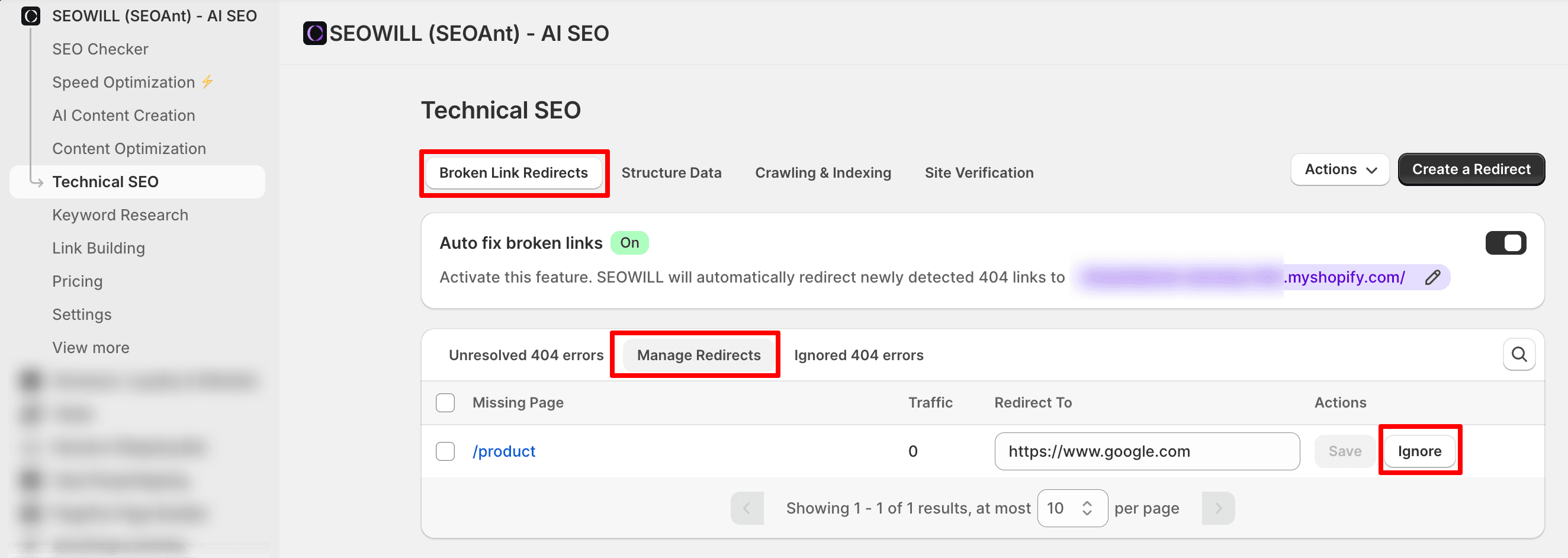
Ignored redirects will be removed from active redirection rules and moved to the Ignored 404s list. You can restore them later if needed.
Option B: Delete via Shopify Admin
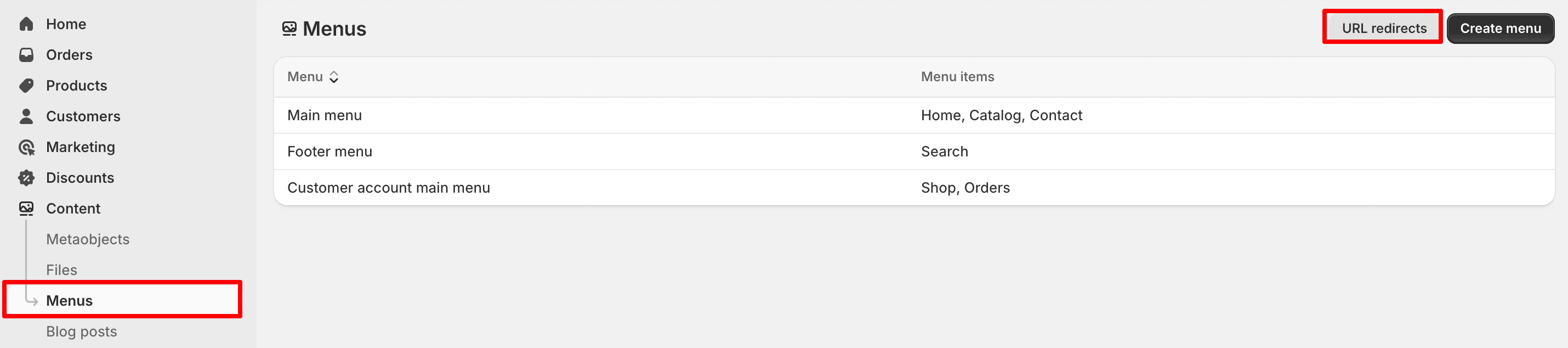
- Go to Shopify Admin → Content → Menus → URL Redirects.
- Select the redirects you want to remove.
- Click Delete selected redirects.
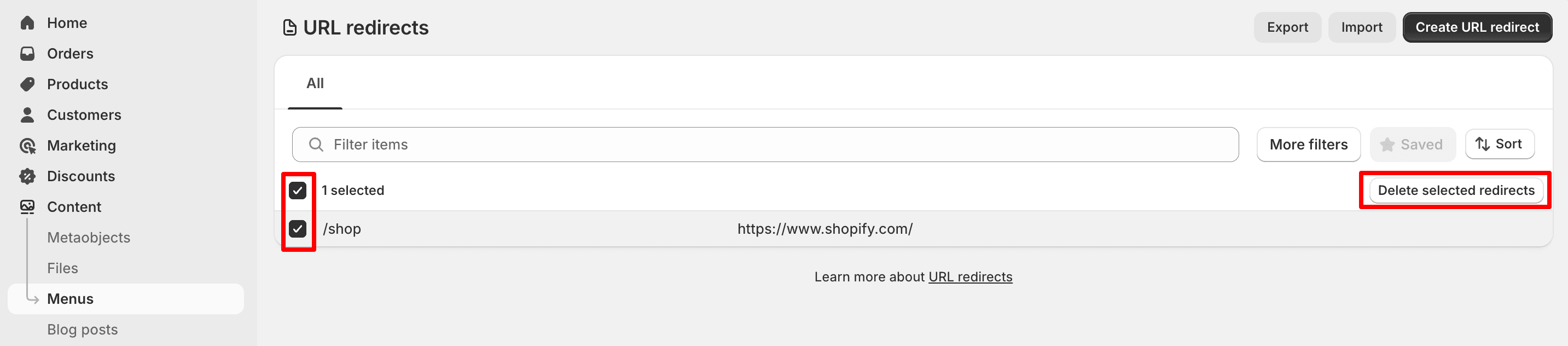
Please note: If redirects are deleted directly in Shopify, SEOWILL may not be able to sync or track those deletions.
Prevent Future Redirections
To stop new redirects from being created automatically:
- Turn off the Auto-Redirection feature in SEOWILL.
- Review and delete any redirection rules you no longer need.
This ensures that only the redirects you intentionally set will be applied going forward.
If you need help managing your redirects or restoring ignored links, feel free to contact our support team. We’re happy to help!