
Appearance
How to Apply SEOWILL Automation Only to Active Products
How to Apply SEOWILL Automation Only to Active Products
At this time, SEOWILL does not support fully excluding archived products from analysis, statistics, or automated processing. The app continues to scan and synchronize all products in your Shopify store, including active, draft, and archived items.
However, for certain features, you can limit actions to active (published) products only, as outlined below:
Features That Support Active-Only Processing
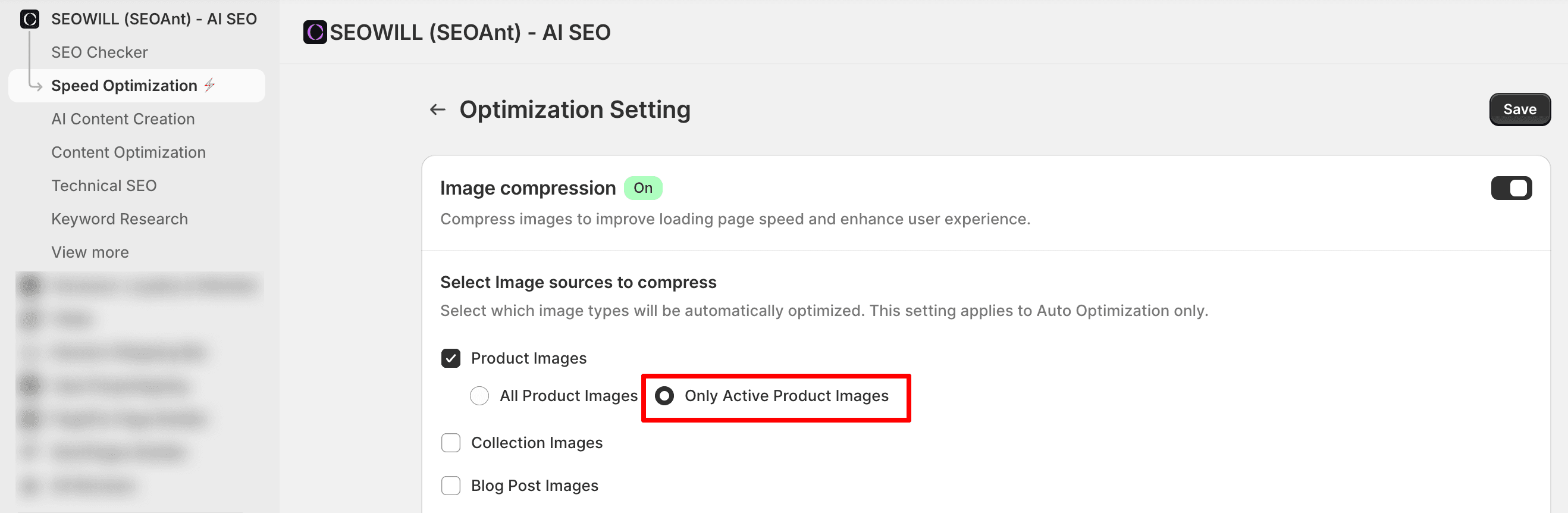
Image Optimization (e.g. Compression)
You may choose to optimize images Only Active Product Images in Speed Optimization → Image Optimization → Optimization Setting → Only Active Product Images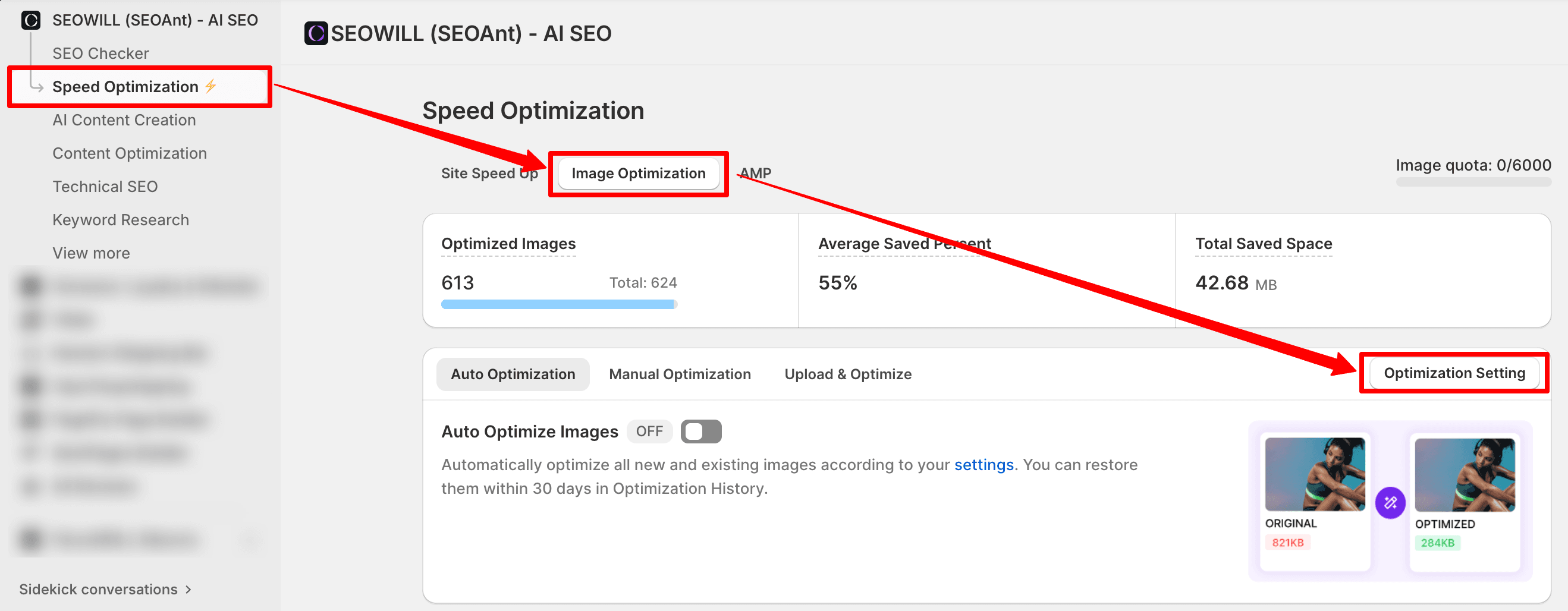
Page Content Optimization
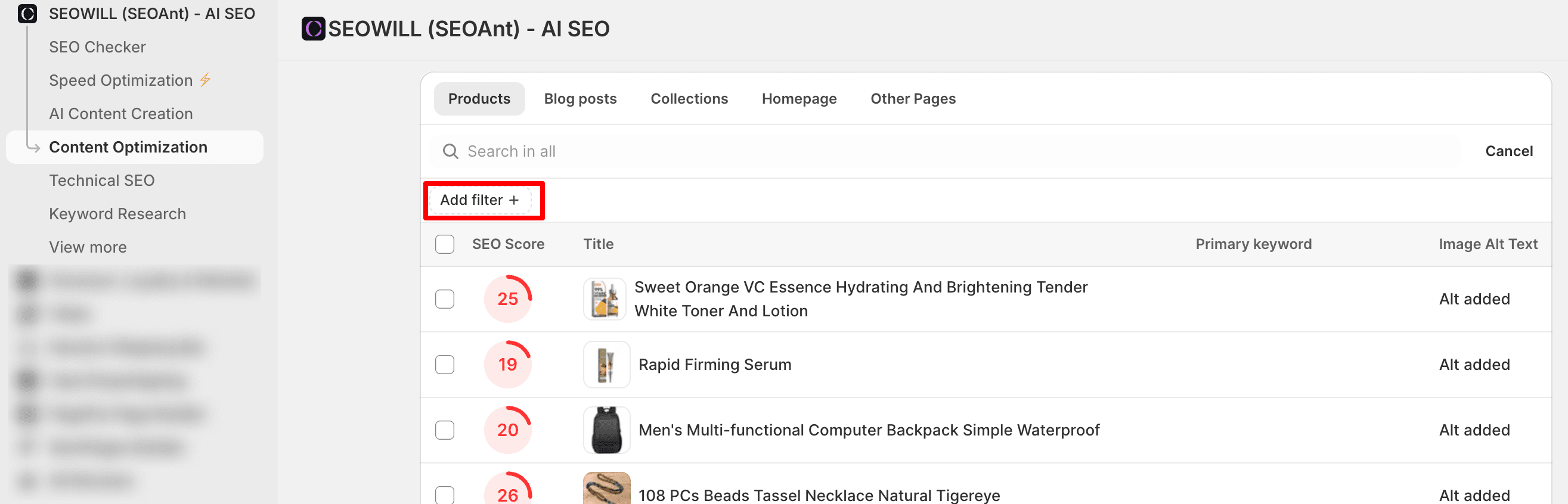
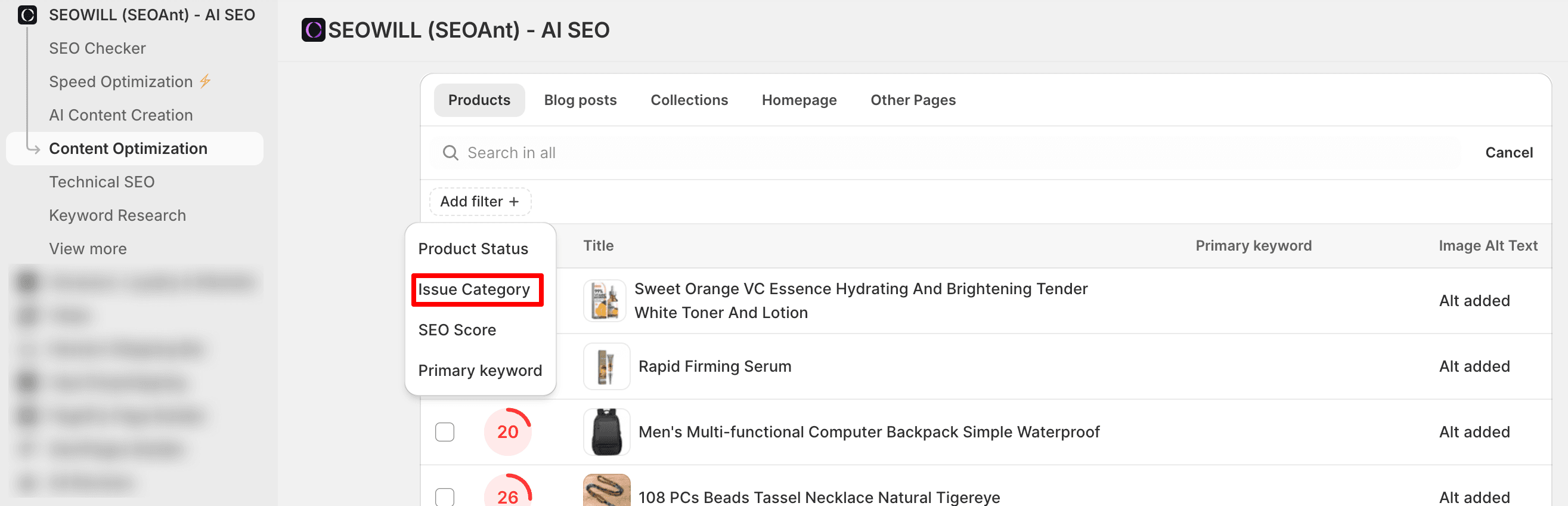
You can filter content to display only published pages by navigating to:
Content Optimization → Filter → Add Filter → Issue Category → Published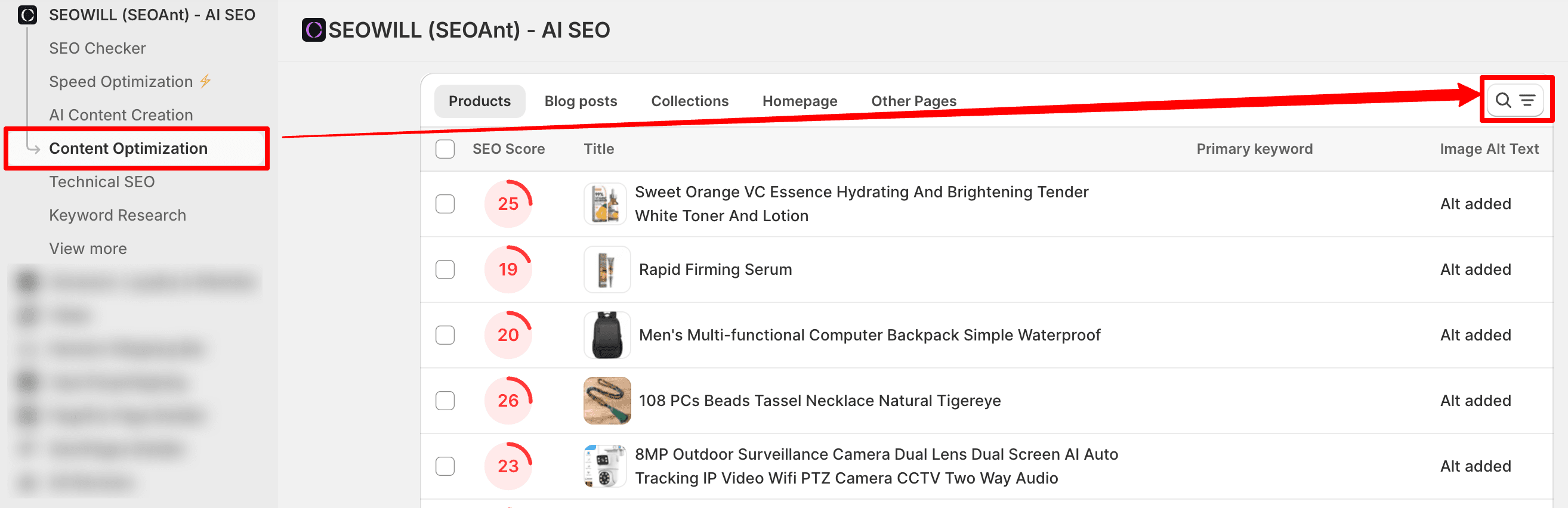
ALT Text Optimization
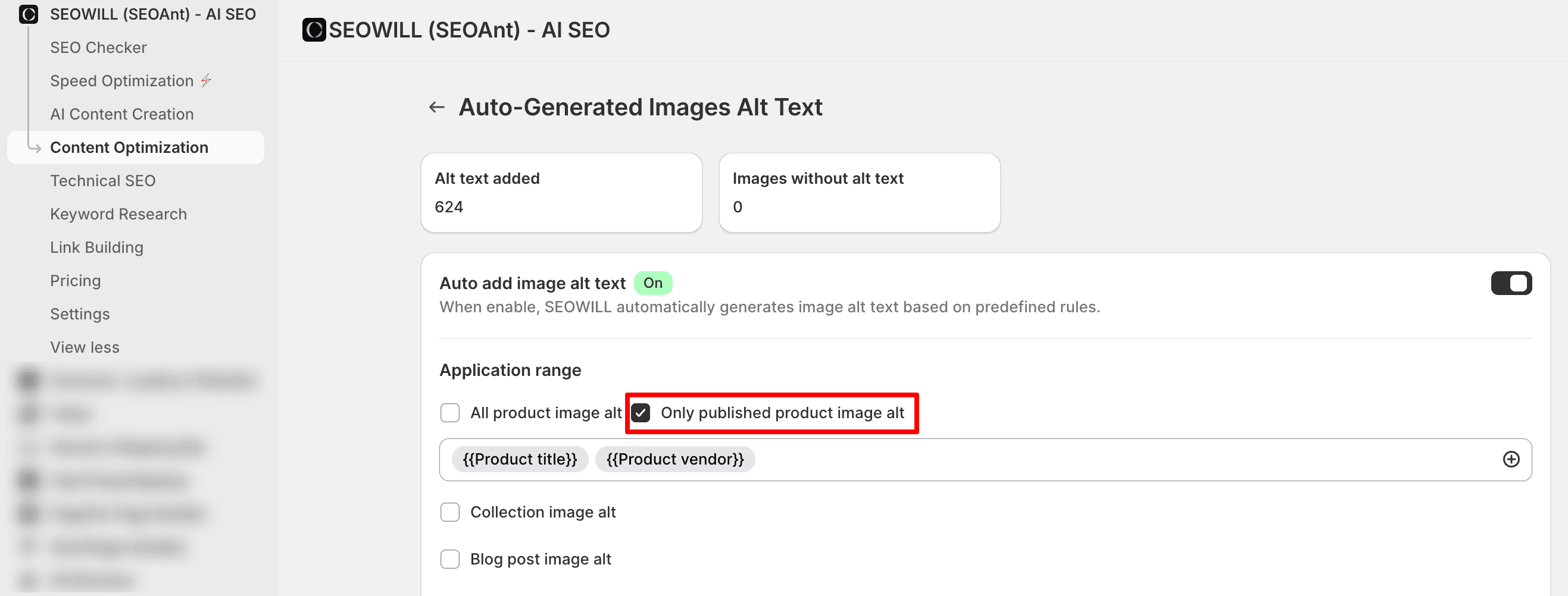
You may configure ALT text generation to apply only to images of published products by selecting
Content Optimization → SEO Metadata → Auto-generated Images Alt Text → Only published product image alt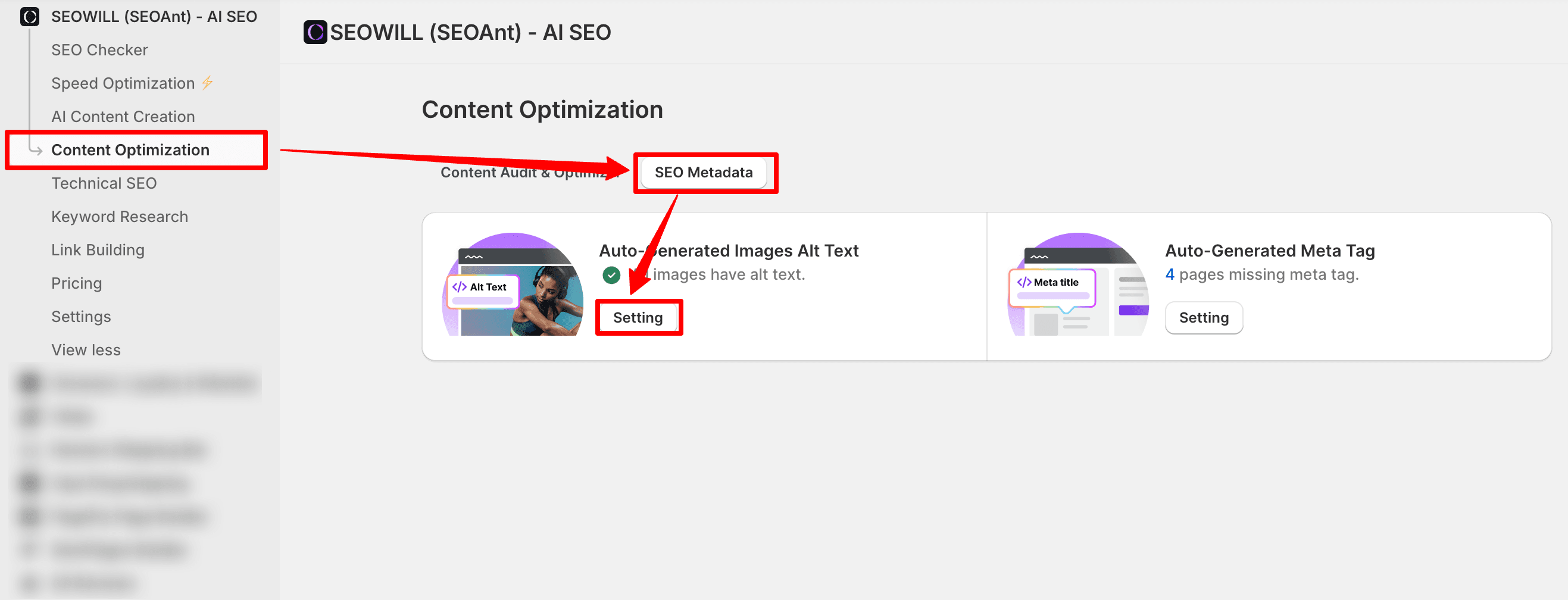
Important Notes
While SEOWILL continues to analyze all products for data consistency, the options above allow you to control which products are actively modified by specific features.
If you need further clarification or assistance configuring these settings, please feel free to contact the SEOWILL Support Team.