
Appearance
How To Quickly Fix SEO Issues With SEO Checker
How To Quickly Fix SEO Issues With SEO Checker
The SEO Checker helps you quickly identify and fix common SEO issues in your Shopify store - even if you have no prior SEO experience.
It scans the most important SEO elements of your store, including:
- Meta titles and meta descriptions
- Image ALT text
- Broken links
- Page speed
- Other on-page SEO factors
After the scan, the app provides a clear SEO score and a detailed list of issues that need attention, so you know exactly what to fix and where to start.
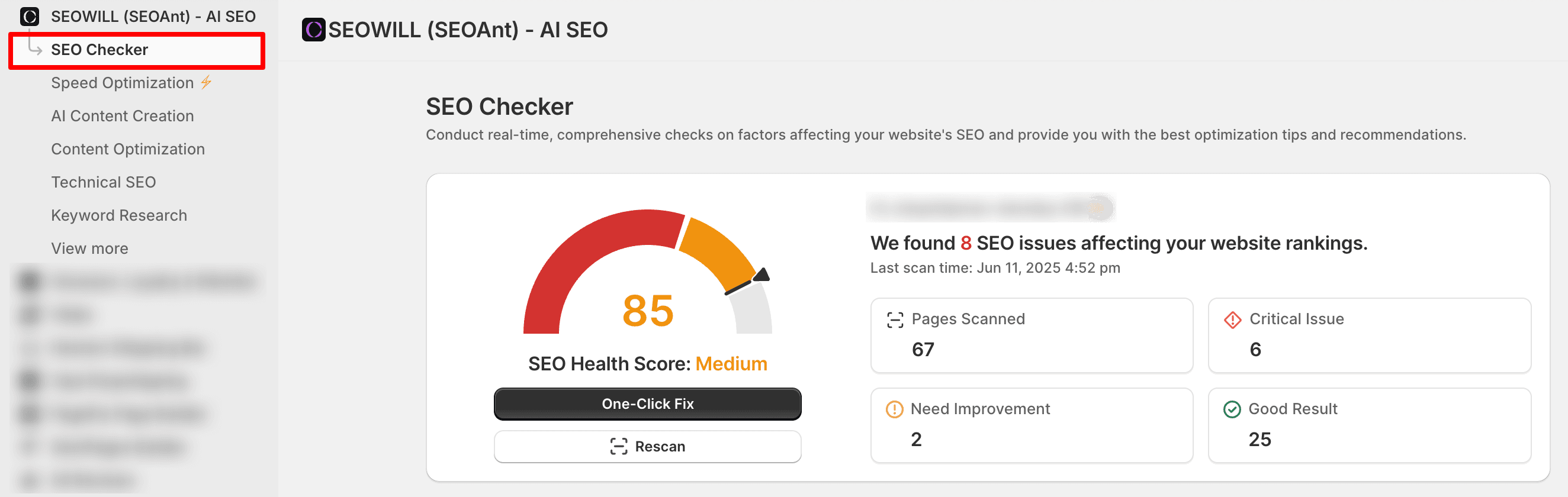
Understanding Your SEO Score
At the top of the SEO Checker page, you’ll see your overall SEO score.
For example, a score of 85 means the store is generally optimized, but there are still issues that could impact SEO performance.
Below the score, the app shows how many SEO issues were detected. These issues may affect:
- Search visibility
- Page performance
- User experience
Issue Categories Explained
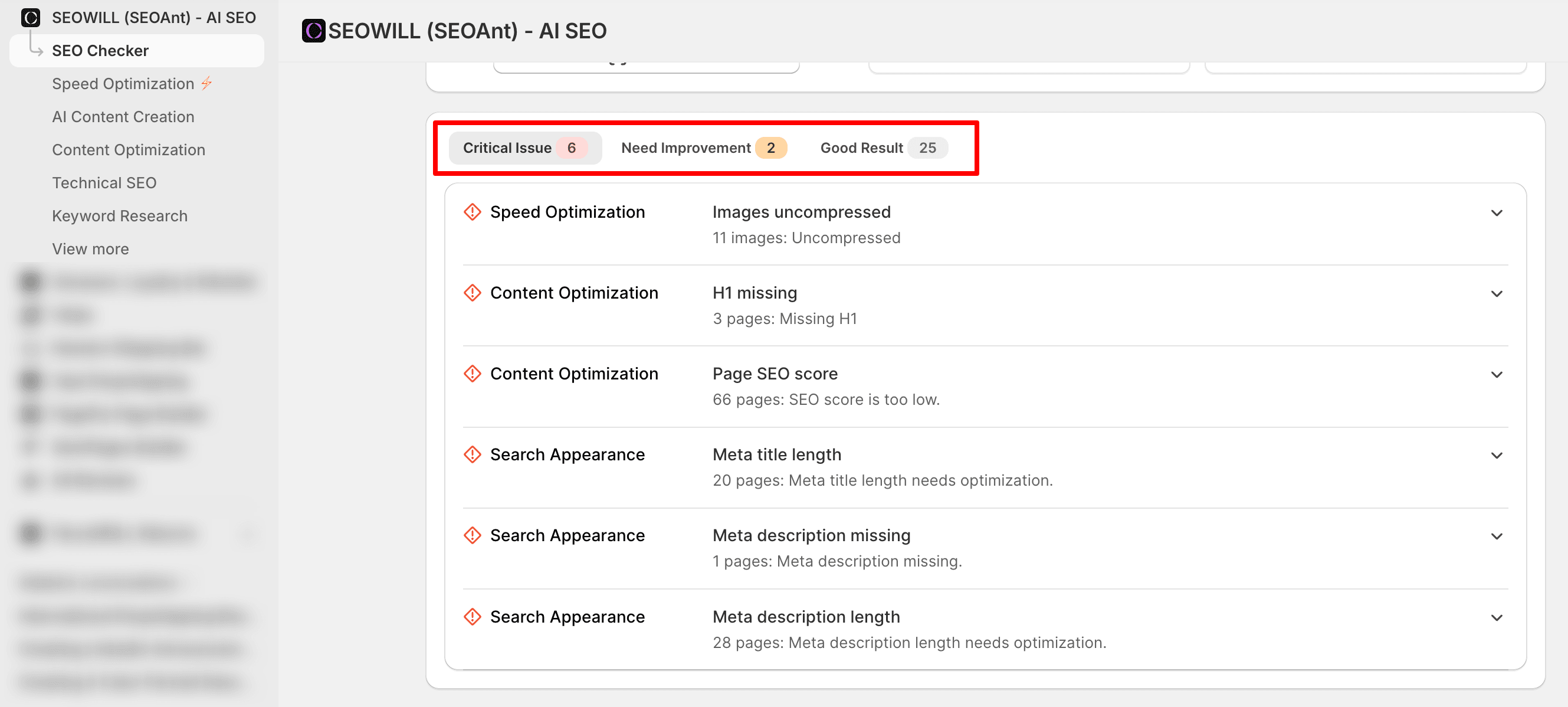
All detected issues are grouped into three clear sections:
- Critical Issues
These require immediate attention, as they can significantly impact SEO performance. - Need Improvement
These are optimization opportunities that can help improve rankings and overall site health. - Good Results
These items are already optimized correctly and do not require any action.
This structure makes it easy to prioritize fixes and focus on the most important problems first.
Viewing Issue Details
Click on any issue to view more details.
For each issue, SEO Checker clearly shows:
- What the problem is
- Which pages or elements are affected
- Why it matters for SEO
- How the issue can be fixed
Example: SEO score is too low
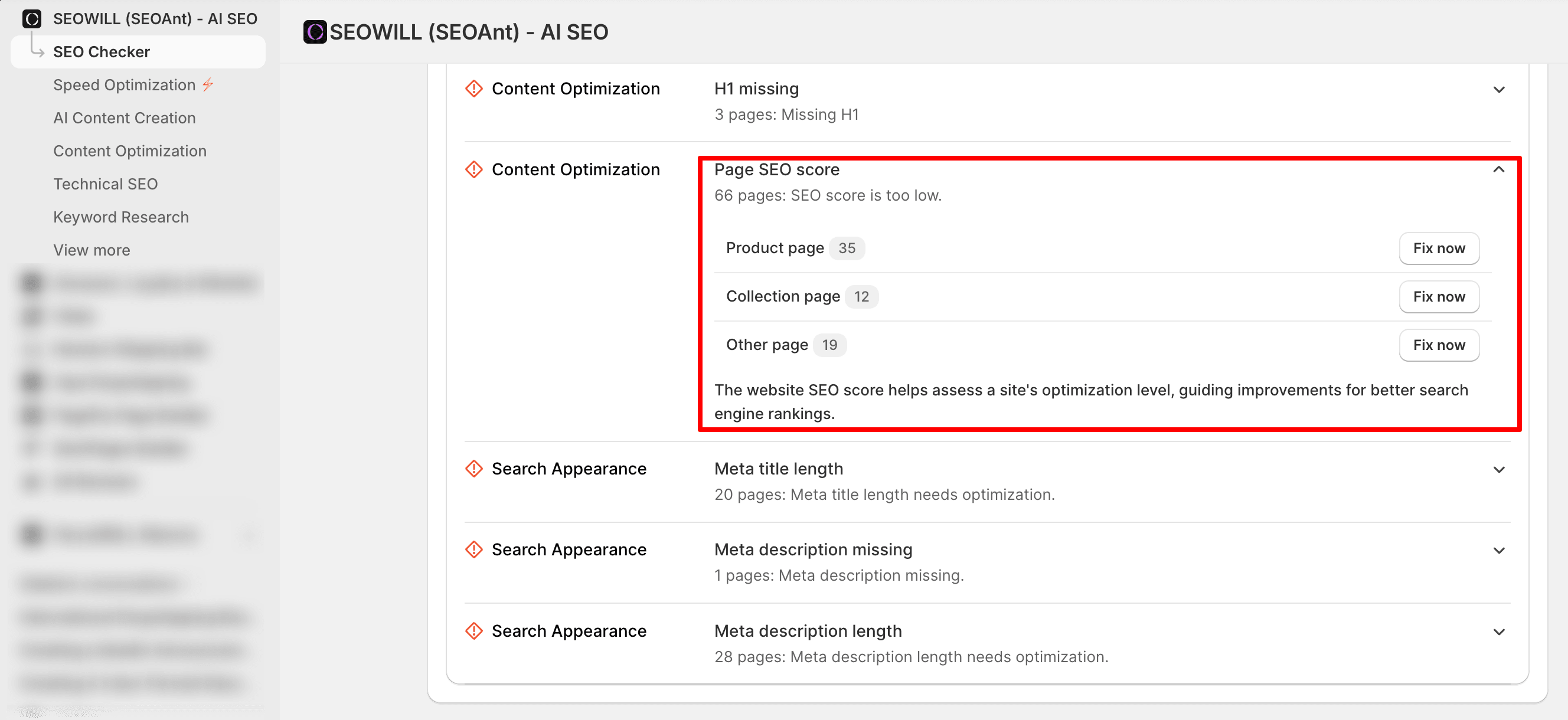
If the app detects problems with SEO scores, it will display:
- The number of pages affected
- Which types of page are having problems
- An explanation of why this issue will affect overall site performance
This helps you understand both the issue and the optimization process before applying the fix.
Fixing SEO Issues
You have two ways to fix issues:
Option 1: One-Click Fix (Recommended)
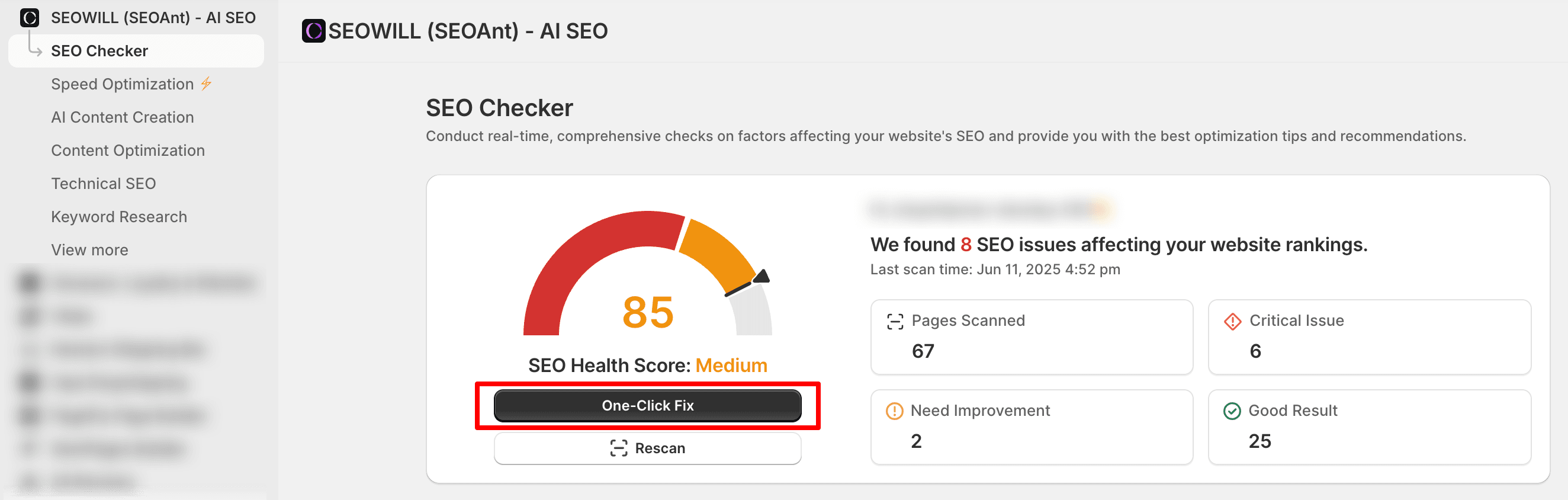
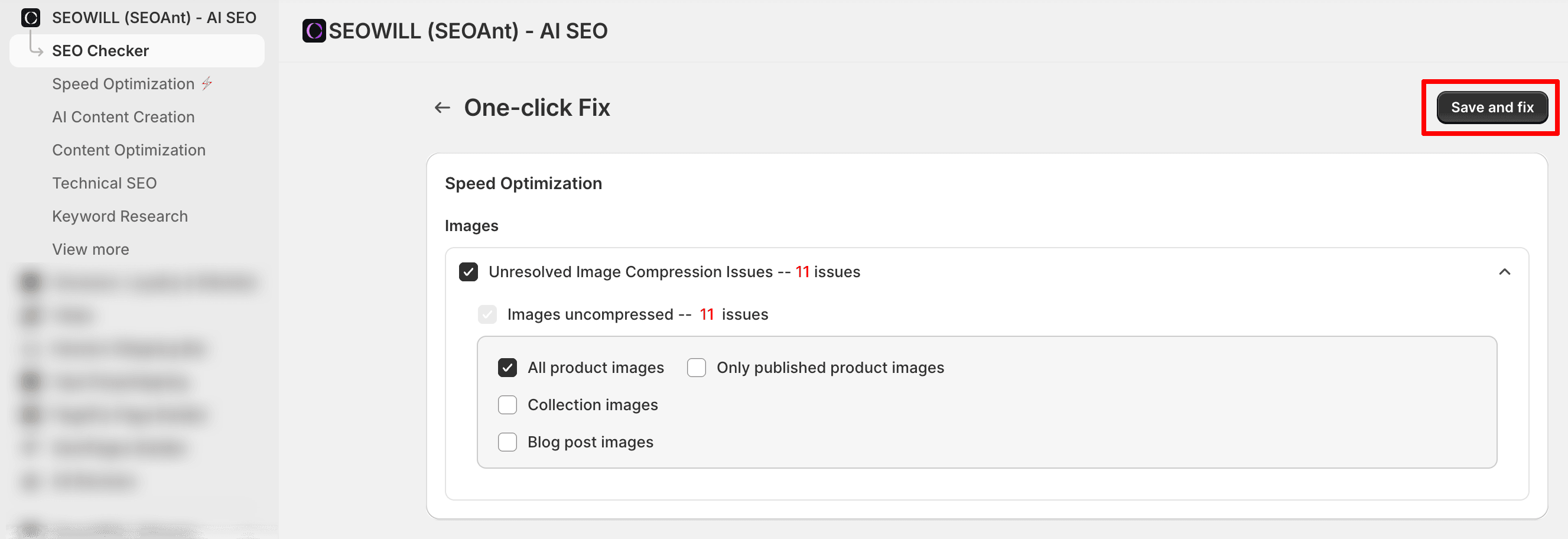
- Click One-Click Fix at the top of the page
- Select the areas you want to optimize
- Click Save and Fix
The app will automatically apply the selected optimizations in the background.
Option 2: Fix All Now
You can also click Fix All Now to apply all recommended fixes at once.
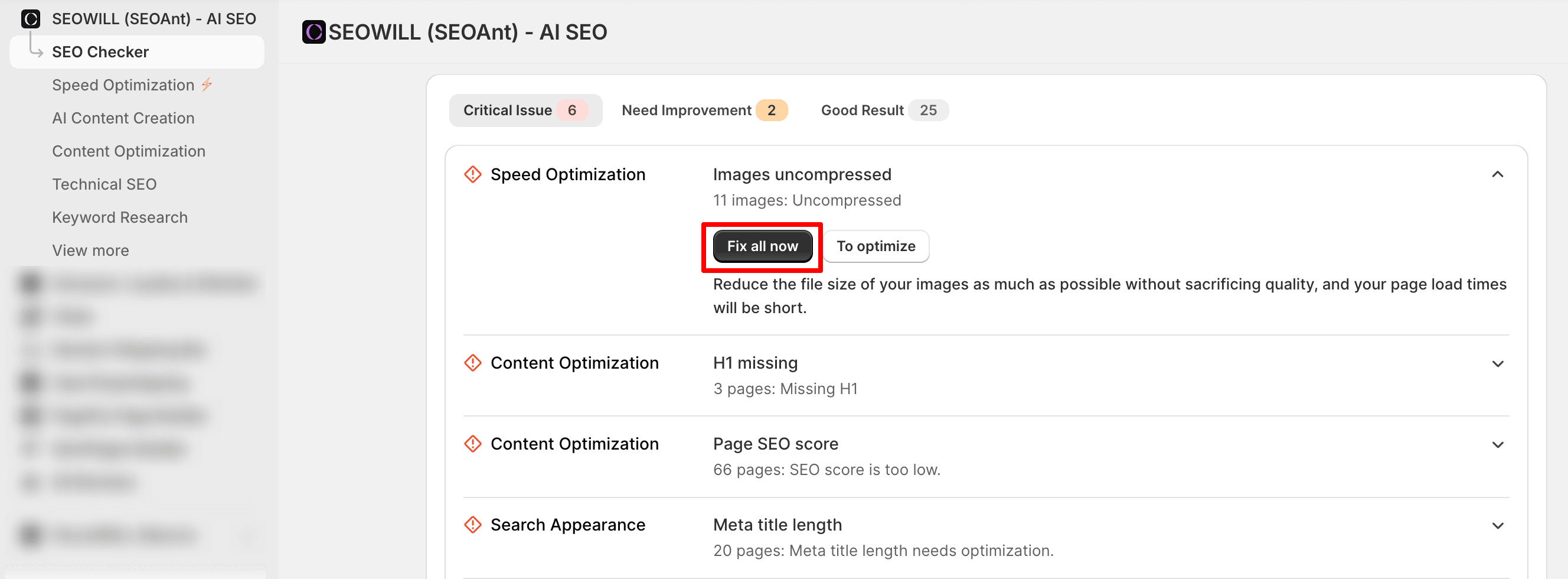
Once started, SEO Checker will handle the optimizations for you, allowing you to focus on running your store while improvements are applied automatically.
When Should You Run SEO Checker?
We recommend running SEO Checker regularly, especially when:
- You add new products
- You update product descriptions or images
- You make changes to your store structure or content
Regular scans help maintain a healthy SEO setup and prevent new issues from affecting your rankings.
Beginner Tip
If you’re new to SEO, try to keep your SEO score above 80.
Stores with a consistently healthy SEO score tend to see:
- More stable organic traffic
- Better long-term visibility in Google search results
If you need help understanding any specific issue or optimization result, feel free to contact our support team - we’re always happy to help.