
Appearance
How to Fix Accent Characters Not Supported in URLs or Handles
How to Fix Accent Characters Not Supported in URLs or Handles
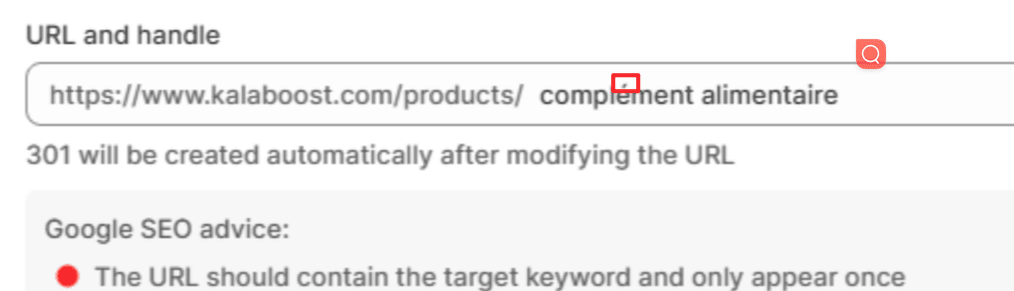
This behavior is expected and follows Shopify’s URL rules.
While non-English characters may be entered, Shopify automatically encodes or converts them to ensure URL compatibility. From both a technical and SEO perspective, using standard English characters is recommended.
Shopify URL Rules
- Shopify automatically removes or converts special characters in URLs.
- URLs support only:
- Lowercase letters (a–z)
- Numbers (0–9)
- Hyphens (-)
- Accented characters and non-ASCII symbols are converted to their plain equivalents, for example:
- español → espanol
- français → francais
- München → Munchen
Recommendation
We recommend using non-accented characters when setting keywords in URLs and handles. This ensures better compatibility, cleaner URLs, and consistent SEO performance.
If you have further questions about URL structure or SEO best practices, please contact the SEOWILL Support Team.